At MentorCruise, we are all about making the most out of the experience of others. As part of that, we have connected and asked dozens of experts and professionals about their favourite Excel books – and here are the answers.


We have over 3,000 mentors available right now!
The best Excel books in 2026 are the ones working professionals actually recommend, not algorithmic picks. This list is curated from the bookshelves of Excel mentors on MentorCruise – every title vouched for by someone in the field. Browse the full book library or read on for our 2026 picks.
Understanding the concepts of Excel starts with understanding the fundamentals. On your way to mastery, it's crucial for you to understand how certain concepts were derived, and why things work like they do. Starting with these resources is the best way to do so.
This looks like a beginner-friendly walkthrough that focuses on practical Excel use rather than trying to be an all-purpose office manual. Someone new to Excel would pick it up for a gentle introduction to formulas, functions, and everyday spreadsheet tasks.
Recommended by the experts and mentors at MentorCruise.
This is the classic big reference style Excel book, the kind people keep on their desk for years. It covers core spreadsheet skills, formulas, charts, PivotTables, and more advanced features, so it works well if you want one solid book that can take you from beginner into intermediate and advanced …
Recommended by the experts and mentors at MentorCruise.
Get feedback on what you read from someone who does this for a living
You've got your basics in order – time to move on to some advanced and specialized concepts. Excel is evolving every day, these books can help you master it.
If your main goal is getting better with formulas and functions, this is the most focused option in the list. It is useful for learners who already know the basics and want practical examples they can copy, tweak, and actually use in real spreadsheets.
Recommended by the experts and mentors at MentorCruise.
This one is aimed squarely at absolute beginners, with lots of illustrations and exercises. If you learn best by following steps and practicing as you go, it is a reasonable pick for building confidence with the basics.
Recommended by the experts and mentors at MentorCruise.
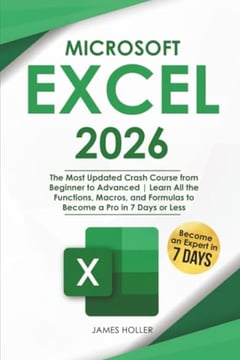
This is a broad beginner-to-advanced style crash course that tries to cover functions, formulas, and macros in one place. It is not as established as the Excel Bible, but it could still help a self-learner who wants a fast overview and a structured path through the major topics.
Recommended by the experts and mentors at MentorCruise.
This list is curated by MentorCruise and can include Amazon affiliate links. Have any other suggestions? Add here.
A Excel book that helped someone three years in won't necessarily help someone two months in. Pick by where you are, not by what's trending.
Identify the specific Excel problem in front of you this month – a stuck project, a missing fundamental, a decision you keep second-guessing. Then pick the book that maps to it. Books read in response to a real question stick. Books read in general don't.
If a Excel book has been on mentor recommendation lists for five years, it survived the parts of Excel that actually changed. Newer titles are useful for tools and tactics. Older ones tend to be where the durable thinking lives.
Foundational reads if you're new to Excel. Applied case studies and patterns once you've shipped real work. Frameworks for leading teams once you're managing other Excel people. The same book recommended at the wrong stage just becomes noise.
The hardest part of getting good at Excel isn't finding the right book – it's translating what you read into how you actually work. Most readers forget around 80% of what they read within a few weeks. The ones who don't are the ones who picked one specific idea per book and tried it on real work the next day.
That's where a Excel mentor closes the loop. A book can give you a framework. A mentor reads your real work and tells you where the gap is between what you think you're doing and what you're actually doing – the thing a book, by design, can't do.
A Excel book gives you the framework. But most readers forget around 80% of what they read within a few weeks.
A mentor closes the loop – they read your real work and tell you where the gap is between what you think you're doing and what you're actually doing.
Common questions about choosing and learning from Excel books in 2026.
The best Excel books for beginners cover the fundamentals before specialization. Start with the Fundamentals section on this page – those are the titles mentors most often hand to people who are new to Excel. Once you've worked through one or two, the Additional Reading and Specializations sections will deepen your knowledge.
Two or three carefully chosen Excel books, read closely and applied as you go, will take you further than a stack of ten skimmed. We recommend one fundamentals book to build your mental model, one practical book to ground it in real work, and one advanced book once you've shipped something.
Yes. Tools and frameworks change quickly, but the underlying principles of Excel – the mental models, trade-offs and judgement calls – move much more slowly. The books on this list focus on durable thinking, not version numbers, which is why mentors still recommend them in 2026.
You can get a long way on your own with the right books and projects, but most people hit a ceiling where a book can't tell you whether the choice you're about to make is reasonable for your specific situation. That's where a Excel mentor speeds things up – they look at your real work and tell you what a book can't.
Every book on this page is recommended by working Excel professionals on MentorCruise or curated by our editorial team from titles mentors consistently bring up. We re-check the list periodically and rotate in newer titles when the field moves – the 2026 edition reflects that.
Most Excel books cost $15 to $30 new, $10 to $15 as ebooks, and nothing if you borrow them from a local library. If you're working through several titles, a library hold list is the cheapest way to triage which ones are worth buying. The cost ceiling for a year of reading is well under the cost of one industry conference.
Three reasons usually: passive reading without notes, no system for picking one idea to actually try at work, and no one giving feedback on whether the attempt worked. Books on their own are an input. Without a practice loop and someone checking your work, what you read fades within weeks – which is what working with a Excel mentor fixes.
Four to six Excel books read closely and applied to your real work will outperform twenty skimmed. Career growth comes from the application, not the page count. Pair each book with one concrete experiment at work and one conversation with someone who already knows the material.


Most of what you read fades within weeks. A Excel mentor looks at your real work and tells you what a book can't.
Talk to a Excel mentorThere is no better source of accountability and motivation than having a personal mentor. What used to be impossible to find is now just two clicks away! All mentors are vetted & hands-on!
We've already delivered 1-on-1 mentorship to thousands of students, professionals, managers and executives. Even better, they've left an average rating of 4.9 out of 5 for our mentors.
Find a Excel mentor